148
Total Tests
105
Passed
43
Failed
4
Bugs
11
Fixed
Reported Bugs
BUG-014 High Coupons Create Coupon fails — POST /api/retool/coupons returns 404
Copy-paste issue
**Bug: Create Coupon returns 404 — backend route missing**
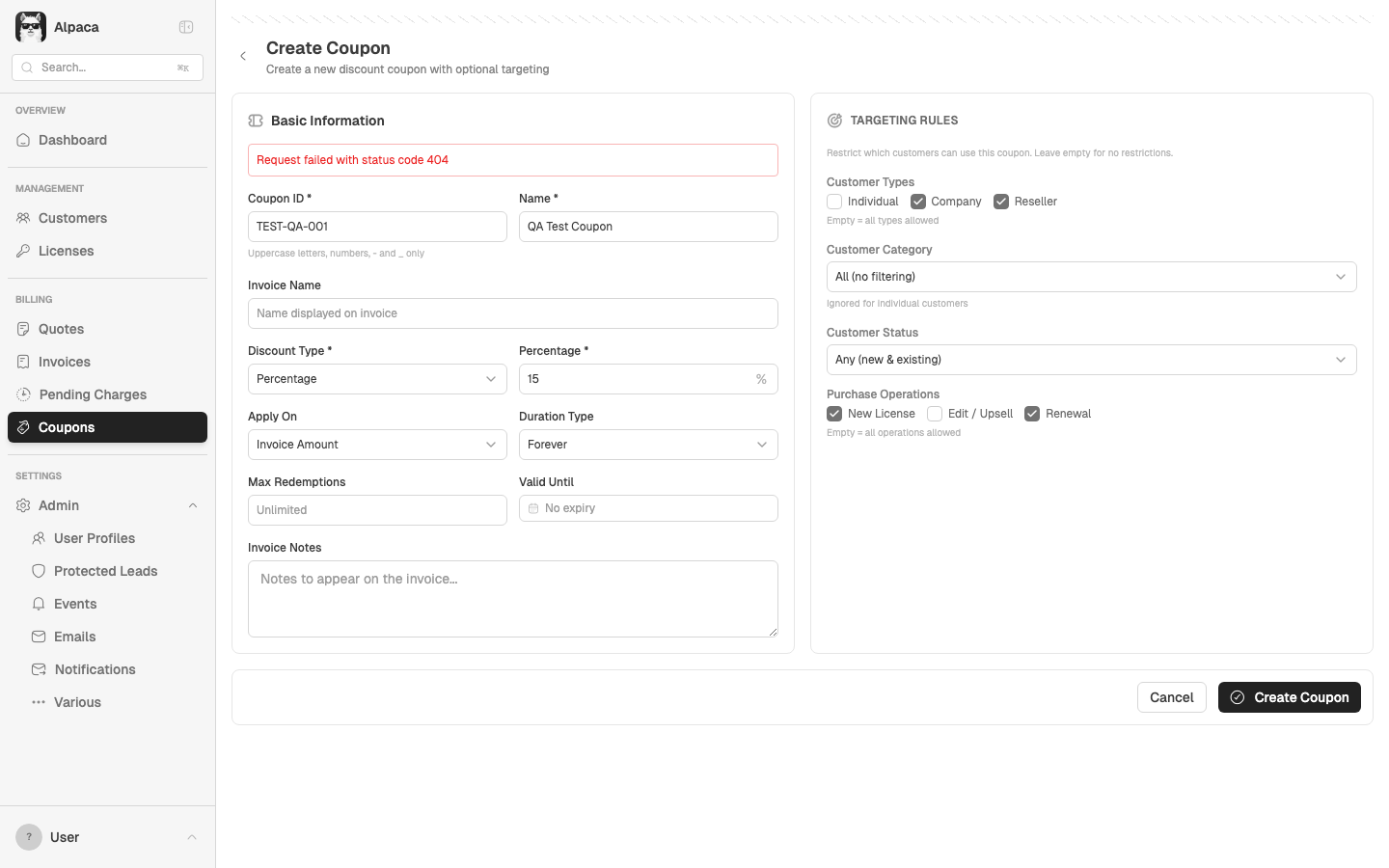
The new Coupons feature (commits 2d6340f–7654460) added a full Create Coupon form at `/coupons/create`. The form UI works — validation fires, targeting checkboxes work, all fields populate correctly. But submitting calls `POST /api/retool/coupons` which returns HTTP 404.
**Evidence from Playwright test:**
- Filled form: ID=TEST-QA-001, Name=QA Test Coupon, Discount=15%, Targeting: Company+Reseller, New License+Renewal
- Submit → red error banner: "Request failed with status code 404"
- Console: `POST /api/retool/coupons 404`
**Root cause:** `createCoupon()` in `src/lib/api/client.ts` calls `POST /coupons` but the backend router (`retoolRouter.ts`) likely doesn't have this route yet.
**Impact:** Cannot create new coupons. The entire create flow is blocked. Edit targeting on existing coupons works fine.
Screenshot
BUG-015 Low Coupons Coupons search filter shows misleading total count in pagination
Copy-paste issue
**Bug: Client-side search filter doesn't update pagination total**
The Coupons list page (`src/pages/Coupons.tsx`) applies search and status filters client-side (lines 186–199). It filters the 25 currently loaded items but the `total` state still reflects the full server-side count (8,688).
**Result:** After typing "test" in search, the grid may show 0–3 matching rows but the footer still reads "Showing 1-25 of 8688". This is confusing — users think there are thousands of results when there are actually very few.
**Fix:** Update the total count to reflect filtered results:
```
setCoupons(items);
setTotal(debouncedSearchQuery || statusFilter !== 'all' ? items.length : data.total);
```
Or better: move filtering server-side so pagination works correctly with filters.
BUG-003 Low Global 403 Forbidden on resource load (multiple pages)
Copy-paste issue
**Bug: 403 Forbidden on resource load**
Console shows `Failed to load resource: the server responded with a status of 403` on multiple pages. Likely an API endpoint or static asset that doesn't recognize the test auth headers. Not visible to users in the UI but clutters the console.
**Observed on:** Dashboard, Customers list, and other pages.
**Note:** May be test-environment specific (X-Test-As header bypass). Verify if this also occurs with real Supabase auth.
BUG-012 Low Global 34x HTTP 403 errors on every page load
Copy-paste issue
**Bug: 403 Forbidden errors on resource load (BUG-003 still present)**
Every page navigation produces 403 errors in the console. Captured 34 instances across a full smoke test run. All are `Failed to load resource: the server responded with a status of 403`.
Likely the same root cause as BUG-003 — an API endpoint or static asset that doesn't recognize the test auth headers. While not visible to users, it clutters the console and may mask real errors.
**Note:** May be test-environment specific (X-Test-As header bypass). Should be verified with real Supabase auth.
BUG-004 Low Quote Wizard 400 Bad Request on Quote Wizard initial load ✓ Fixed
Copy-paste issue
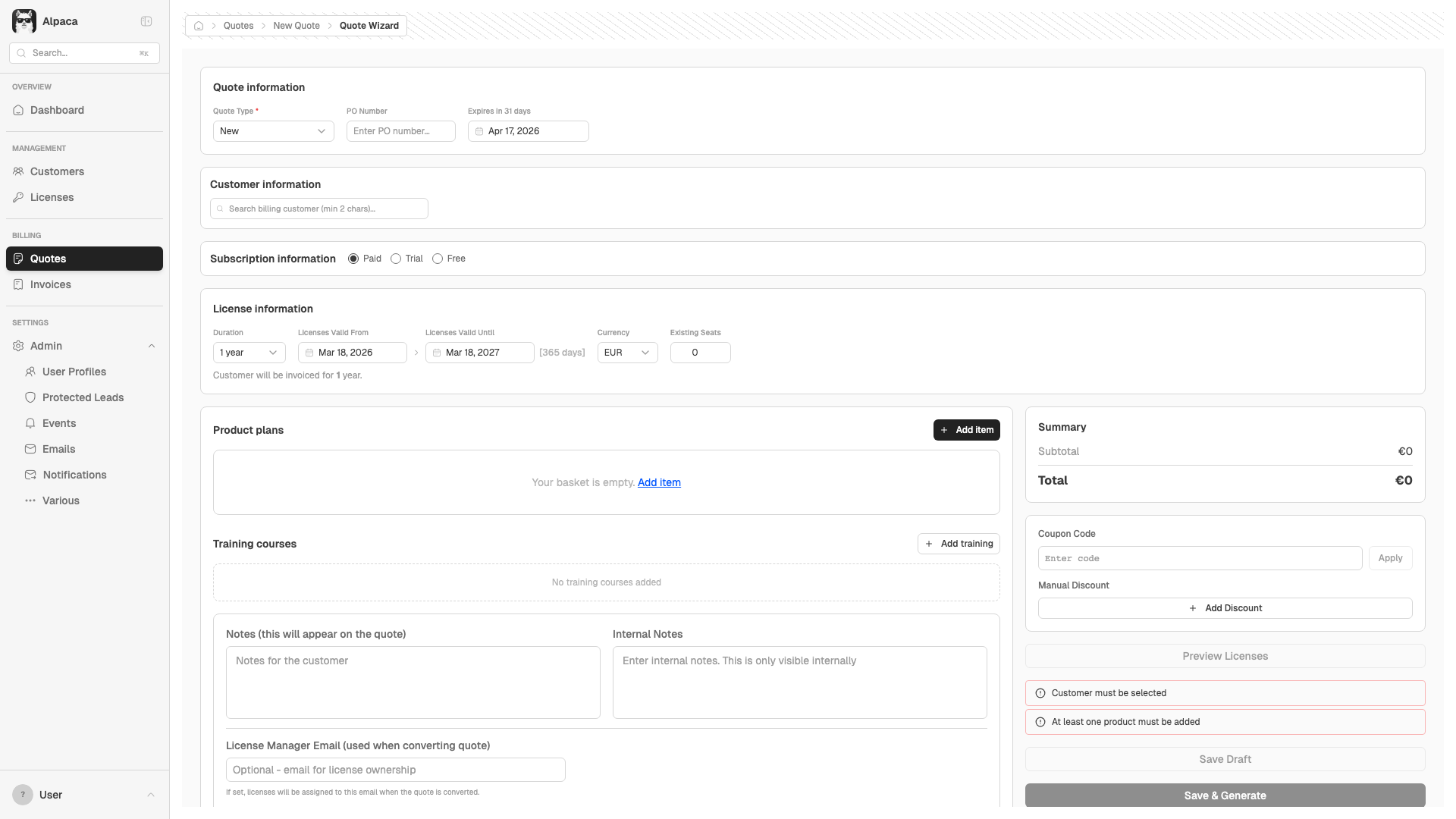
**Bug: 400 Bad Request when navigating to /quotes/wizard**
An API request returns 400 when the Quote Wizard loads without a customer context. The wizard still renders and functions, but the initial data fetch fires with missing required params.
**Impact:** Non-blocking. The wizard works fine once a customer is selected. But the unnecessary failed request adds noise to the network log and slows initial render.
**Suggestion:** Guard the initial fetch with a check for required parameters before firing the request, or lazy-load data only after customer selection.
Screenshot
BUG-013 Low Reports Reports Top N tab returns empty/errors ✓ Fixed
Copy-paste issue
**Bug: Reports Top N tab fails to load content**
Navigating to `/reports/top-n` returns minimal content (less than 200 chars of body text). Other report tabs (Billing, Cash, Renewals, Subscriptions, Charts, Exports) all load successfully.
**Impact:** Users cannot view Top N reports. The tab may be misconfigured or the route may not match the expected URL pattern.
BUG-001 Medium Licenses CORS error blocks /api/retool/products on Licenses page ✓ Fixed
Copy-paste issue
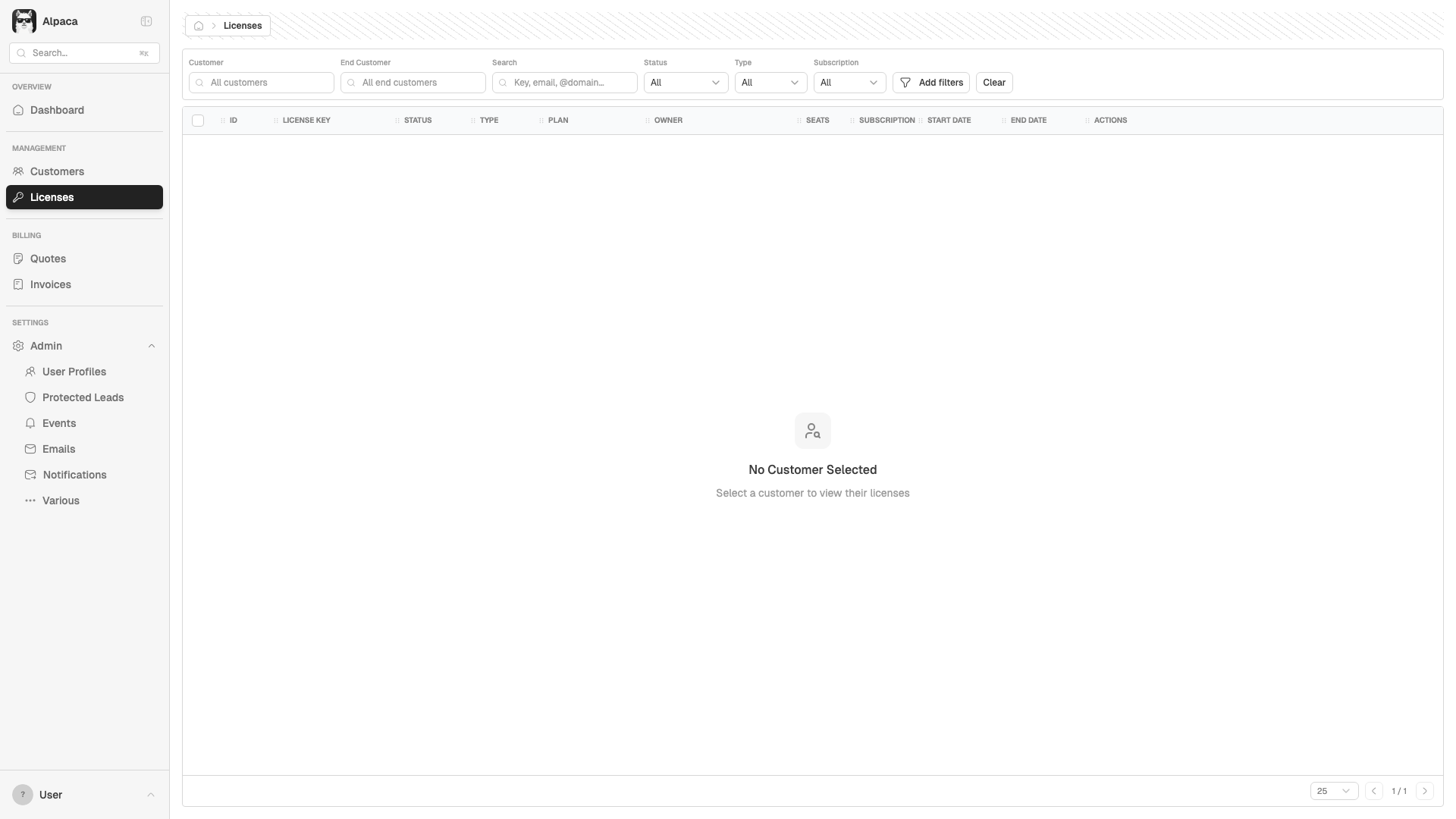
**Bug: CORS error on products endpoint (Licenses page)**
`getProducts()` in `src/lib/api/client.ts:645` uses `this.client.get('/products')` which resolves to `https://api.eu.hex-rays.io/api/retool/products` — the direct production URL. Since there's no CORS header for localhost, this fails in dev.
Other similar methods (`getCountries`, `getPlans`) use `axios.get()` with a full URL that goes through the Vite proxy, and work fine.
**Error:** `Access to XMLHttpRequest at 'https://api.eu.hex-rays.io/api/retool/products' blocked by CORS policy`
**Impact:** Product names may be missing in the Licenses grid. Console shows cascading `net::ERR_FAILED` errors.
Proposed fix
// src/lib/api/client.ts — getProducts() (~line 645)
// Before:
async getProducts() {
const { data } = await this.client.get('/products')
return data
}
// After — use raw axios like getCountries/getPlans do:
async getProducts() {
const { data } = await axios.get(`${this.baseUrl}/products`, {
headers: this.getHeaders()
})
return data
}
Screenshot
BUG-002 Medium Customer Detail 500 error on Customer Pending Charges API ✓ Fixed
Copy-paste issue
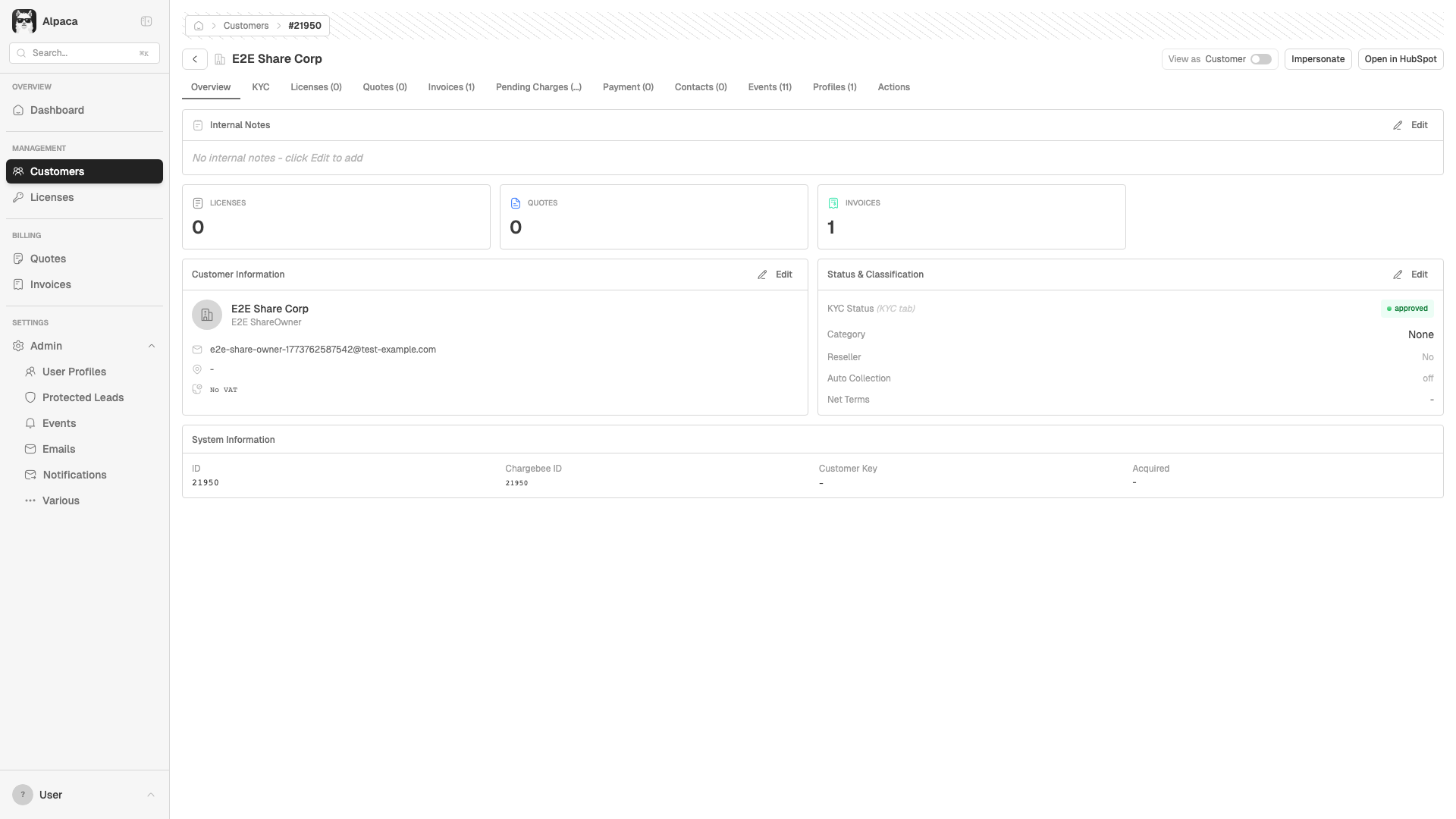
**Bug: 500 Internal Server Error on pending charges**
`getCustomerCharges()` in `src/lib/api/client.ts:105` calls `GET /api/retool/customers/{id}/charges`. The backend returns 500 for this endpoint.
**Stack trace:**
```
EAApiClient.getCustomerCharges (client.ts:105)
→ fetchPendingCharges (CustomerDetail.tsx:504)
```
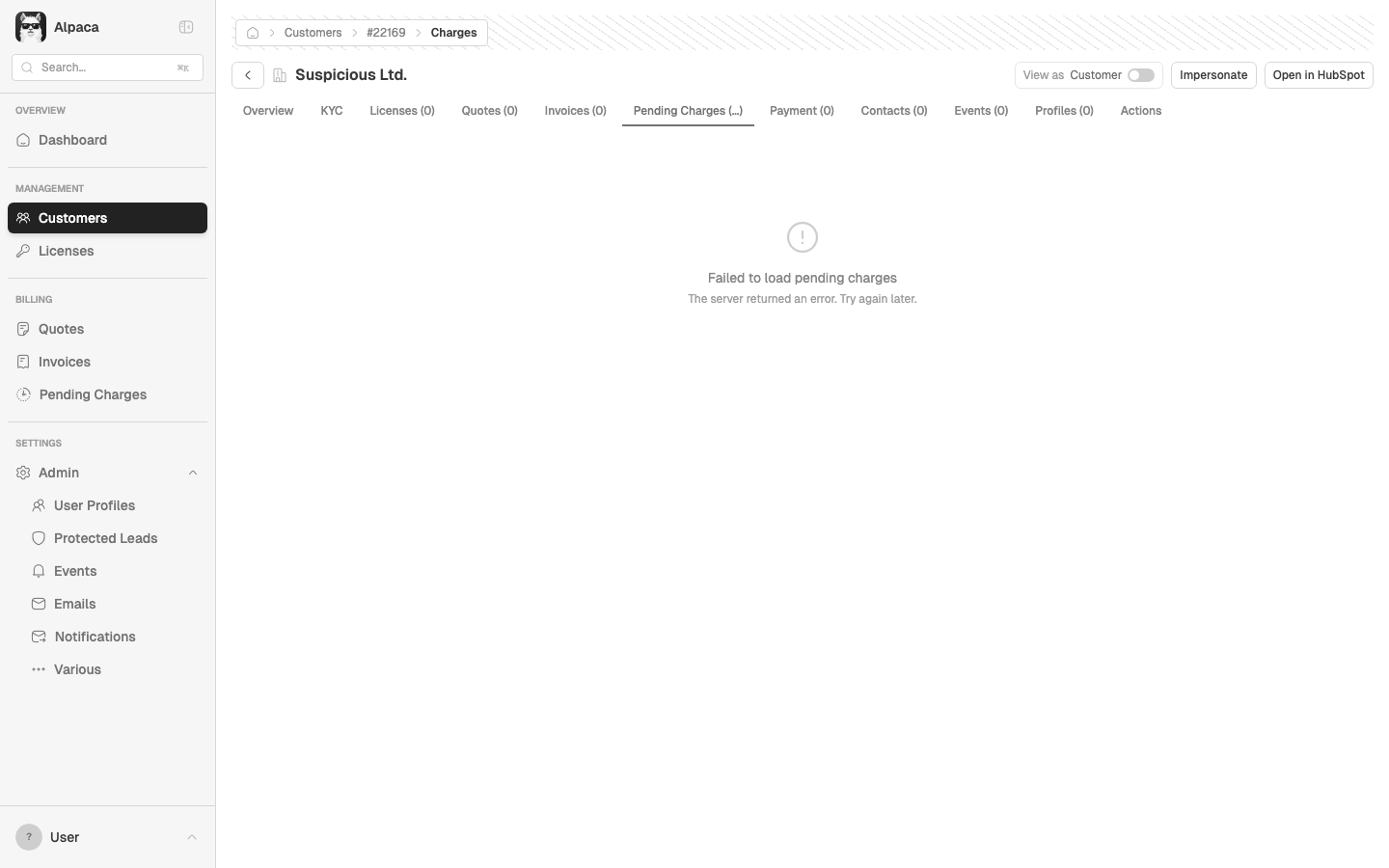
**Impact:** The "Pending Charges" tab on Customer Detail shows a spinner that never resolves. No error is shown to the user.
**Suggestion:** Either fix the backend route, or add error handling in the UI (show "Failed to load" instead of infinite spinner).
Proposed fix (frontend — graceful error handling)
// src/pages/CustomerDetail.tsx — fetchPendingCharges (~line 504)
// Add user-visible error state instead of silent console.error:
const [chargesError, setChargesError] = useState(false);
const fetchPendingCharges = async () => {
if (!customer?.id) return;
setChargesError(false);
try {
const data = await apiClient.getCustomerCharges(customer.id);
setPendingCharges(data);
} catch (err) {
console.error('Error fetching pending charges:', err);
setChargesError(true);
}
};
// Then in the Pending Charges tab render:
{chargesError ? (
<Empty>
<EmptyTitle>Failed to load pending charges</EmptyTitle>
<EmptyDescription>The server returned an error. Try again later.</EmptyDescription>
</Empty>
) : /* existing render */}
Screenshot
BUG-005 Low Reports Missing breadcrumb on all Reports pages ✓ Fixed
Copy-paste issue
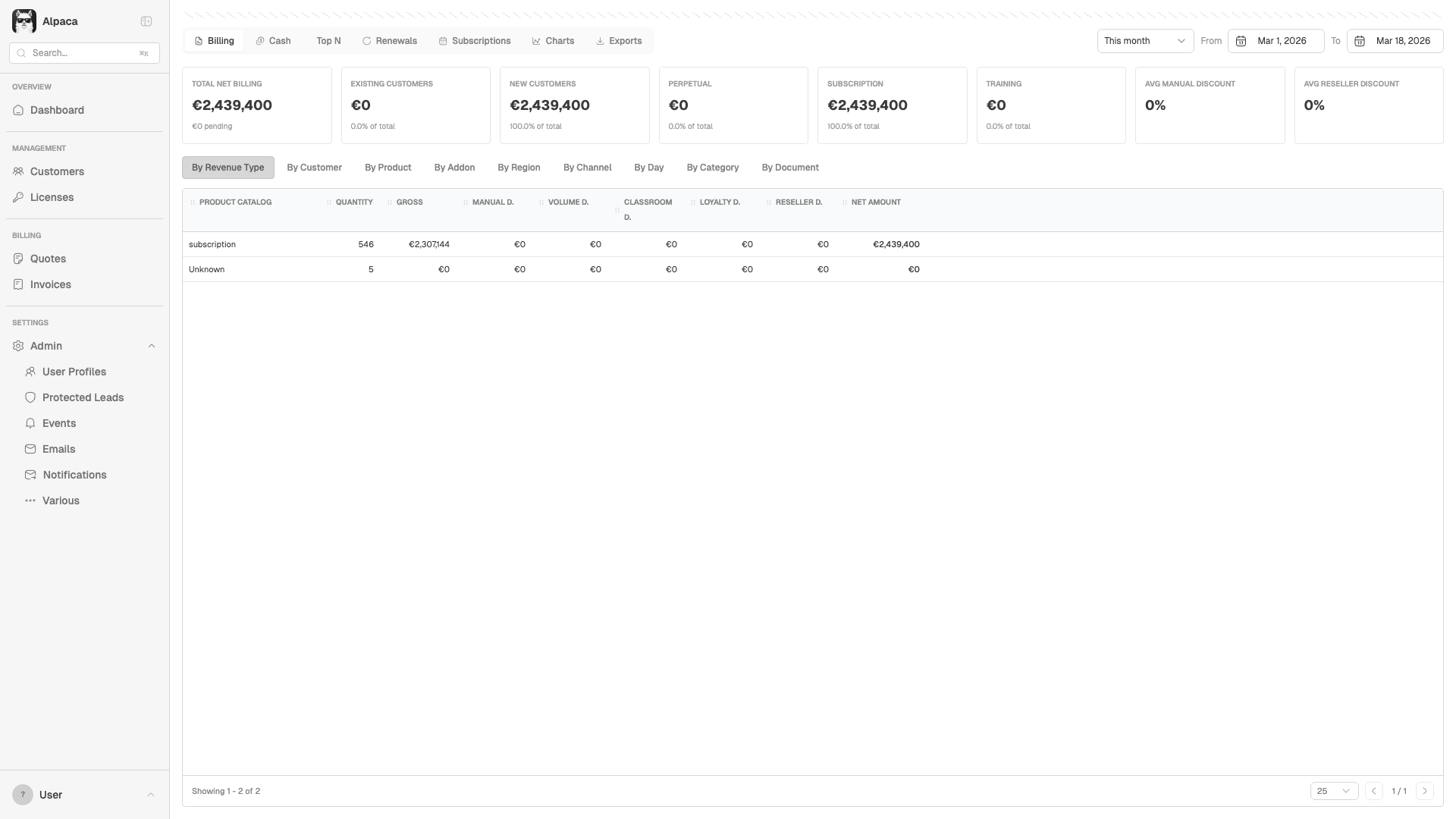
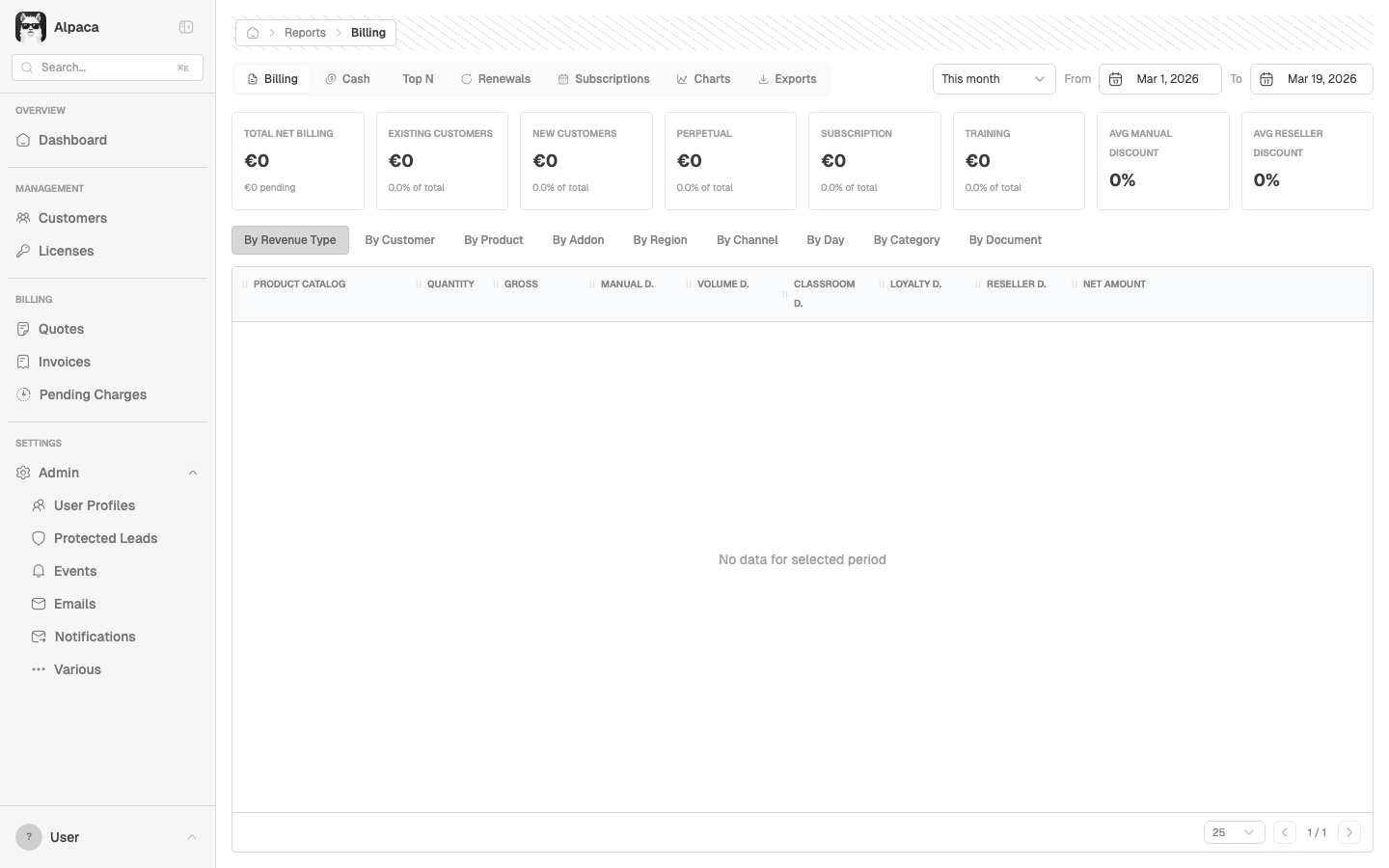
**Bug: Breadcrumb is empty on /reports/* pages**
The breadcrumb container renders but has no content on all Reports routes (/reports/billing, /reports/cash, etc.). Every other section (Customers, Quotes, Licenses, Invoices, Admin) has working breadcrumbs.
**Root cause:** `ReportsLayout.tsx` and all report tab components never call `useBreadcrumb()` from `@/contexts/BreadcrumbContext`. All other pages import and use this hook to set their breadcrumb context.
**Impact:** Users lose navigation context when viewing reports.
Proposed fix
// src/pages/reports/ReportsLayout.tsx — add breadcrumb setup
import { useBreadcrumb } from '@/contexts/BreadcrumbContext';
import { useEffect } from 'react';
// Inside the component:
const { setBreadcrumb, clear } = useBreadcrumb();
useEffect(() => {
setBreadcrumb({ label: 'Reports' });
return () => clear();
}, []);
Screenshot
BUG-006 Low Licenses Cascading network errors from CORS issue on Licenses page ✓ Fixed
Copy-paste issue
**Bug: Cascading network errors on Licenses page**
Downstream of BUG-001. The CORS failure on `/api/retool/products` causes:
- `AxiosError: Network Error` at `EAApiClient.getProducts (client.ts:510)` → `fetchProducts (Licenses.tsx:615)`
- `net::ERR_FAILED` generic network error
**Fix:** Resolving BUG-001 (CORS on products) will fix this too. No separate action needed.
BUG-007 High CSV Exports Report CSV exports contain raw cents instead of formatted currency ✓ Fixed
Copy-paste issue
**Bug: Report exports write raw cents/integer amounts to CSV**
All 7 report exports in `ExportsTab.tsx` write amounts **without dividing by 100 or formatting**. The API returns values in cents (integers), but the export passes them through raw.
**Evidence from automated test:**
- All Invoices CSV: `subtotal=8997` (should be `89.97`)
- Revenue by Type CSV: `gross=2307144` (should be `23,071.44`)
- Revenue by Customer CSV: `total_revenue=1593382` (should be `15,933.82`)
Meanwhile, the Quote Cart export (`lib/csv.ts`) correctly does `amount / 100` then `.toFixed(2)`.
**Affected exports:** All Invoices, Revenue by Type, Revenue by Customer, Revenue by Day, Payment Due, Renewals
**Impact:** Anyone importing these CSVs into Excel/accounting will see values 100x too large. This is a data integrity issue for financial reporting.
Proposed fix
// src/pages/reports/ExportsTab.tsx — all export functions
// Before (line 64-65):
subtotal: (inv.sub_total || 0),
total: (inv.total || 0),
// After:
subtotal: ((inv.sub_total || 0) / 100).toFixed(2),
total: ((inv.total || 0) / 100).toFixed(2),
// Apply same pattern to all money fields:
// gross, manual_discount, volume_discount, reseller_discount,
// net_amount, total_revenue, total_amount, renewal_value
BUG-008 High CSV Exports Floating point precision errors in CSV export values ✓ Fixed
Copy-paste issue
**Bug: Floating point artifacts in exported financial data**
Some CSV values have JavaScript floating point errors that leak into the output:
- Revenue by Type: `net_amount=2439399.900000005` (15 decimal places)
- Revenue by Day: `total_amount=2439399.900000005`
These come from accumulated floating point arithmetic in JavaScript. The values should be rounded to 2 decimal places before export.
**Root cause:** The backend aggregation sums many cent values and returns a float. The frontend passes it through without rounding. Even after fixing the /100 issue (BUG-007), `.toFixed(2)` will fix this too — but the server should ideally return integer cents.
**Impact:** CSV consumers (Excel, accounting tools) will show absurd precision like `$2,439,399.900000005`.
BUG-009 Medium CSV Exports Inconsistent number formatting across CSV exports ✓ Fixed
Copy-paste issue
**Bug: Three different formatting conventions across CSV exports**
Each export formats currency differently:
| Export | Format | Example | File |
|--------|--------|---------|------|
| Quote Cart | `(amount/100).toFixed(2)` | `89.97` | `lib/csv.ts` |
| Invoice List | `amount.toFixed(2)` | `89.97` | `Invoices.tsx` |
| Report Exports | Raw value, no formatting | `8997` | `ExportsTab.tsx` |
The **Revenue by Customer** export mixes both: some values are `1593382` (cents) and others are `21772.74` (euros). This suggests the API returns mixed formats, or the aggregation sometimes uses cents and sometimes euros.
**Recommendation:** Standardize on `(amount / 100).toFixed(2)` for all money fields, matching the Quote Cart export pattern. Add a shared `formatCsvMoney()` helper to `lib/csv.ts`.
Proposed shared helper
// src/lib/csv.ts — add shared money formatter
/**
* Format a money value for CSV export.
* API returns cents (integers) — divide by 100 and round to 2dp.
*/
export function formatCsvMoney(cents: number | undefined): string {
if (cents == null) return '0.00'
return (cents / 100).toFixed(2)
}
// Then in ExportsTab.tsx:
import { formatCsvMoney } from '@/lib/csv'
subtotal: formatCsvMoney(inv.sub_total),
total: formatCsvMoney(inv.total),
BUG-010 High Quotes Wrong currency symbol on Quotes list — EUR quotes displayed as USD ✓ Fixed
Copy-paste issue
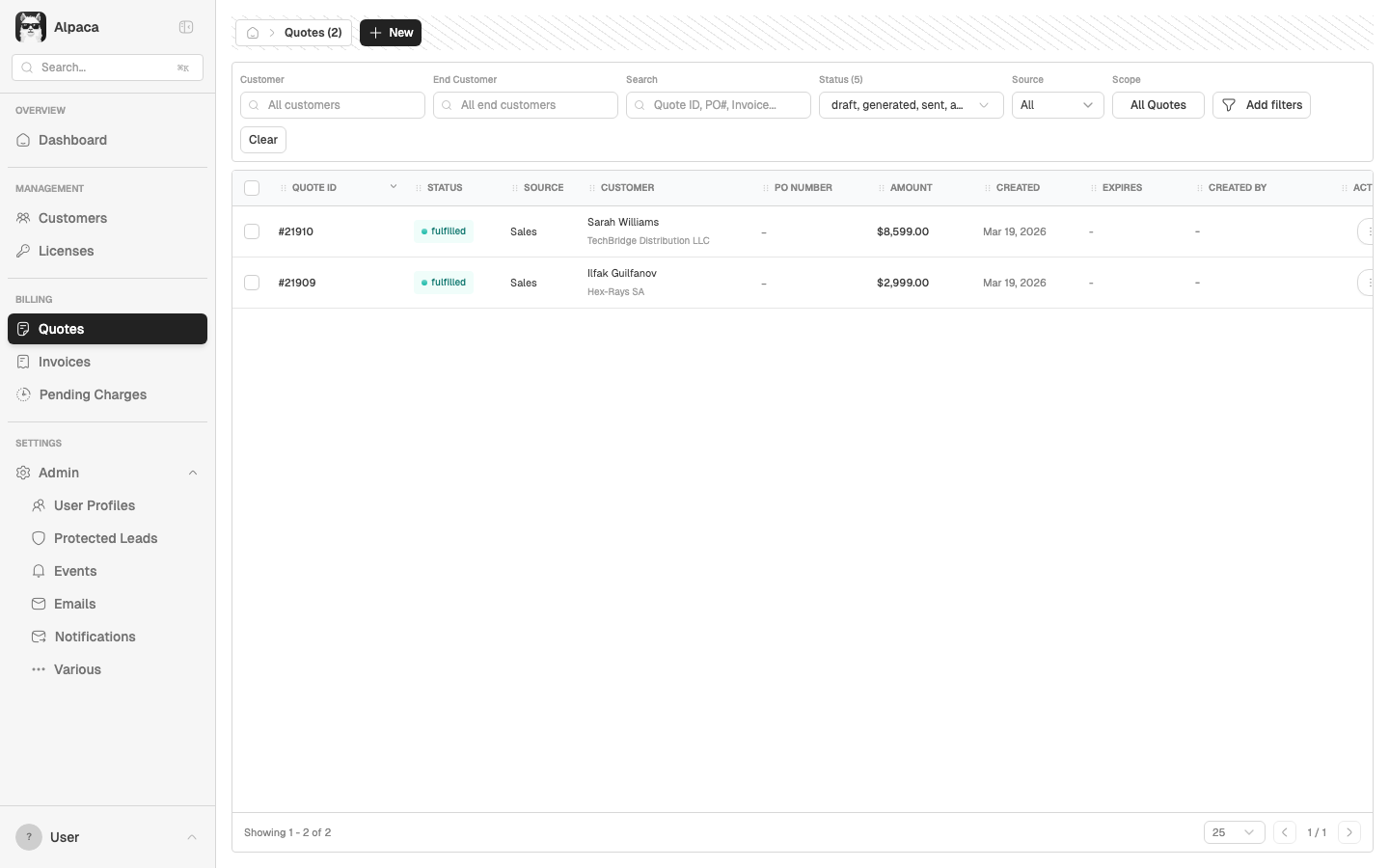
**Bug: Quotes list shows wrong currency symbol**
Quote #21909 (Hex-Rays SA) is a EUR quote — the detail page correctly shows `€2,999.00`. But the Quotes list page displays it as `$2,999.00` with a USD symbol.
Similarly, quote #21910 shows `$8,599.00` on the list. This suggests the Quotes list always formats amounts with `$` regardless of the quote's actual currency.
**Root cause:** The Quotes grid likely uses a hardcoded `$` formatter or defaults to USD when rendering the amount column, instead of reading each quote's `currency_code`.
**Impact:** Users see wrong currency on the list page, creating confusion about quote values. Especially problematic when mixing EUR and USD quotes.
Screenshot
BUG-011 Medium Dashboard Dashboard Recent Invoices shows amounts without decimal formatting ✓ Fixed
Copy-paste issue
**Bug: Dashboard invoice amounts lack consistent decimal formatting**
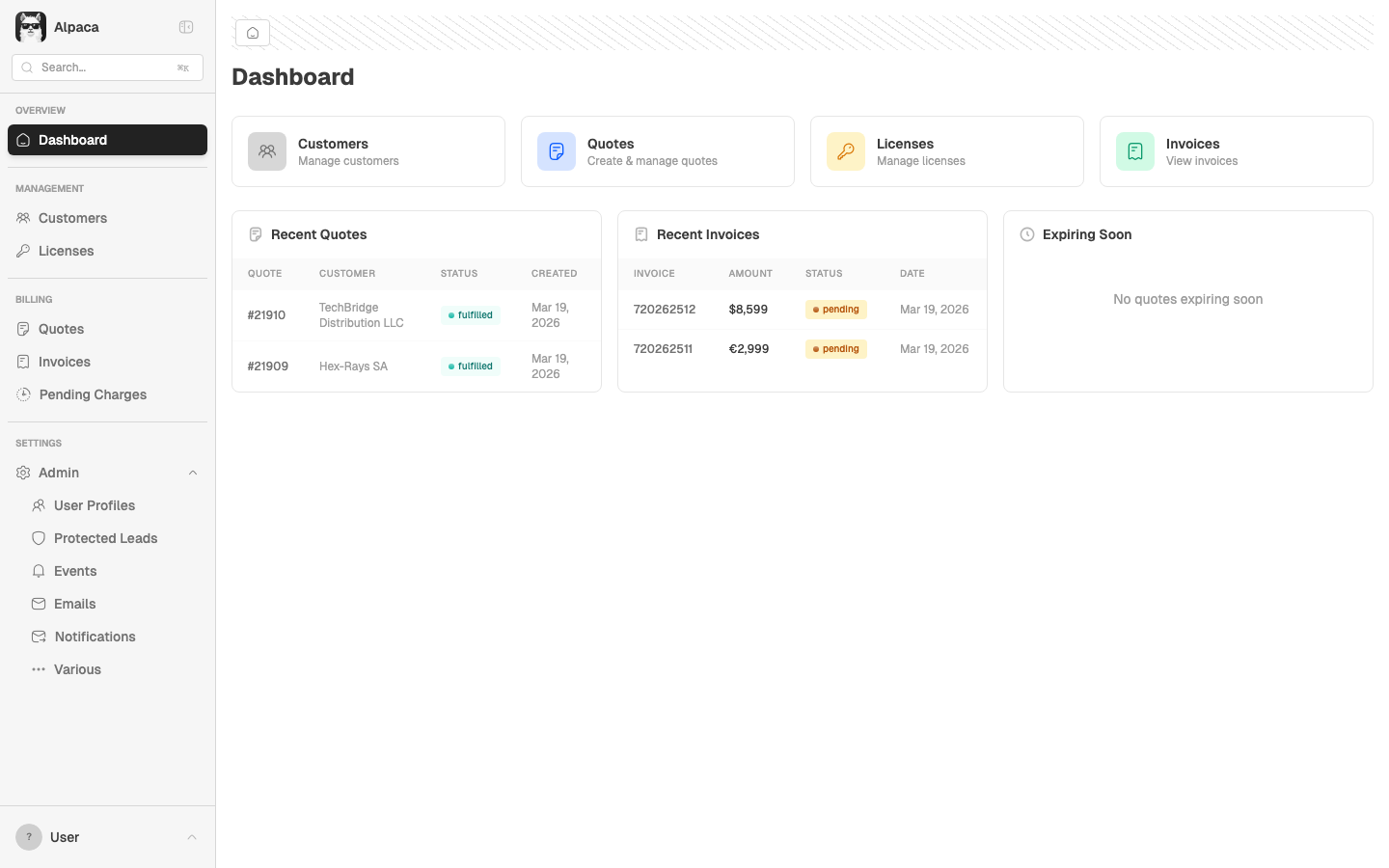
The "Recent Invoices" widget on the dashboard shows:
- `$8,599` — no decimals
- `€2,999` — no decimals
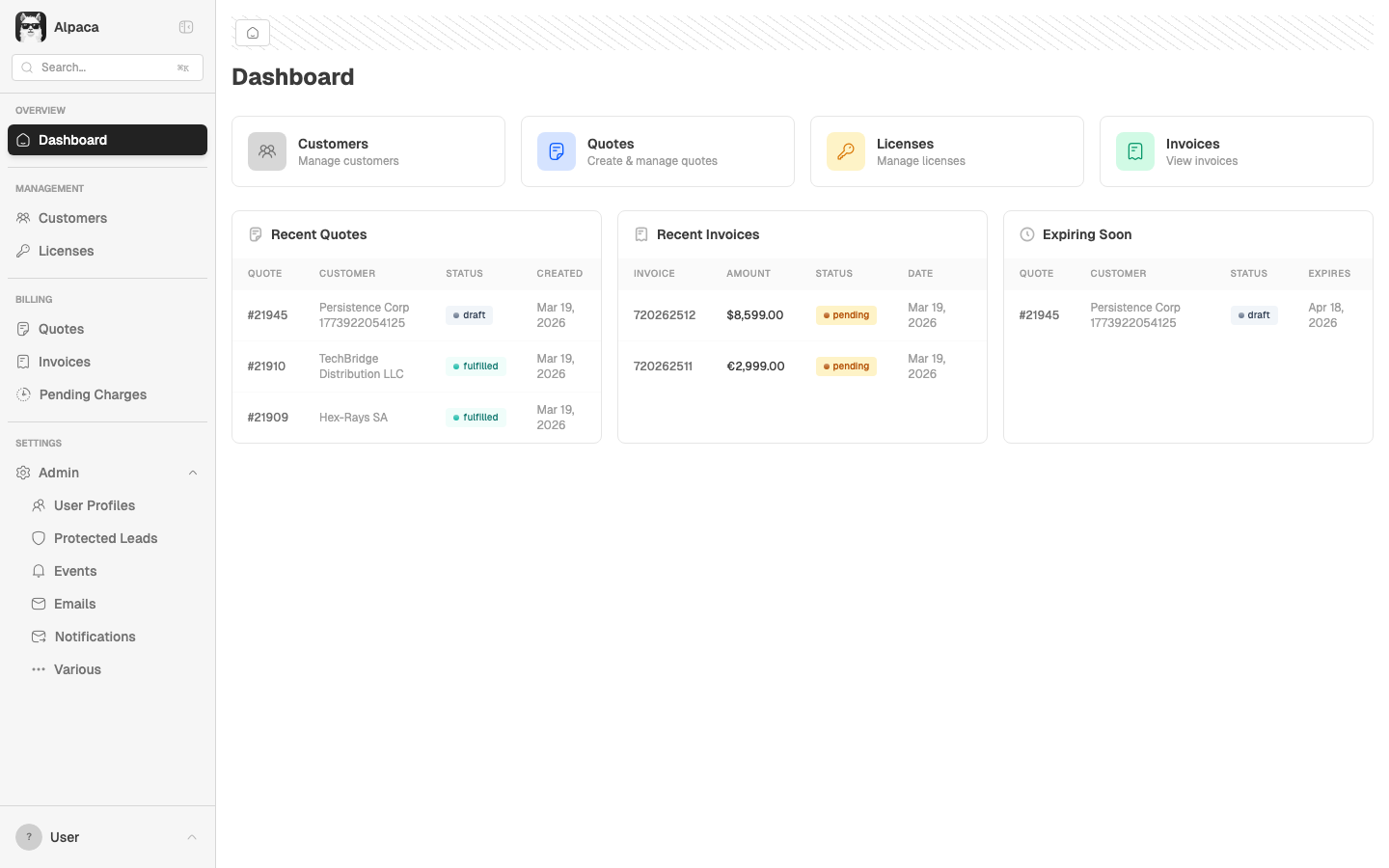
Both should show 2 decimal places (`$8,599.00`, `€2,999.00`) to match the rest of the app's currency formatting.
Additionally, there may be a cents-vs-euros issue: if the API returns cents, `$8,599` might actually be `$85.99` (same pattern as BUG-007).
**Impact:** Inconsistent formatting vs. the quote detail page which shows `€2,999.00`. Users may misread amounts.
Screenshot